

3 months ago I posted: The 9 Ways to Move Data from Kafka to Iceberg, an in depth look at a growing ecosystem of tools and architectural patterns for landing streaming data into an Iceberg lakehouse. I mapped out everything from “classic” connectors to newer table-native and managed approaches. If you haven’t already, check it out here:

But data systems rarely flow in only one direction. Once Iceberg becomes the system of record, the next question is how to get that data back out, into Kafka, so that downstream services can react to failures, rehydrate and counter data corruption. All of these scenarios require the reintroduction of lakehouse data into the event-driven world (and beyond). In this follow-up, I’ll walk through three practical ways to move data from Iceberg to Kafka: building it as a connector, leaning on managed services, or using complementary services that sit on top of an existing Kafka/Iceberg estate.
I’ll focus on 3 main reasons for inverting the typical Kafka -> Lakehouse flow:
To bootstrap new workloads - When a new Kafka workload comes online it often needs history before it can do anything useful.You can’t compute aggregates, build search indexes or warm caches with data starting from right now. What’s more, Iceberg retention is generally much longer than Kafka, giving a far richer context to draw from.
To recover from outages/poison pills - Production Kafka streams fail in messy ways: bad messages, schema breaks, consumer bugs, downstream outages. When this happens, teams usually need to “rewind” and replay from the point of failure to recover. The tricky part is that poison messages can go undetected for days/weeks/months so the amount of data you need to replay can be huge. Iceberg is ideal here: it retains large volumes cheaply, has powerful updates to fix bad data, and makes it practical to re-emit a correct stream without needing Kafka to hold months of retention.
To save costs in exceptional circumstances - Kafka retention is expensive at scale. If a consumer falls behind (deploy issues, downstream throttling, sudden traffic spikes), the default solution is to keep enough Kafka retention to cover the worst case. But that means paying for expensive “just in case” storage 24/7 and worse, because the data is transferred “ahead of time”, duplicating your real-time dataset in your lake. A cheaper pattern is to let Kafka stay optimized for real-time retention, and use Iceberg as the long-term buffer.
Section 1: Using a Connector
At the time of writing, there isn’t a true “Iceberg source connector” you can just drop into Kafka Connect and call it a day.
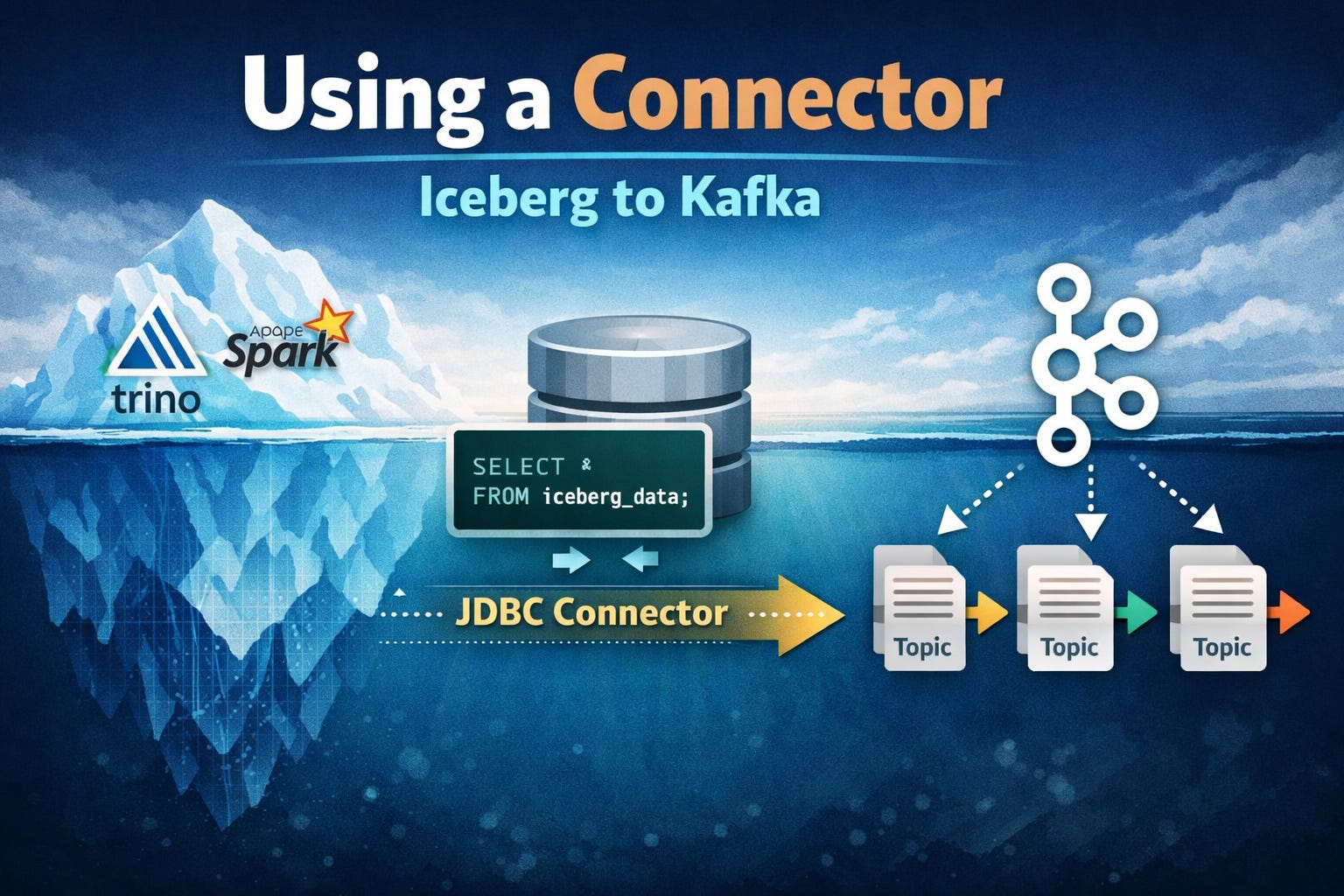
But you can still build a connector-based Iceberg → Kafka pipeline today by leaning on your favourite Iceberg query engine. For example: run Trino on top of Iceberg, then use the Kafka Connect JDBC Source Connector to query Trino and publish results into Kafka.
At that point, the pattern looks like any other database connector:
Poll on an interval
Run a query
Publish the resulting rows into Kafka topics
The main upside of this approach is that it’s straightforward and uses well understood, battle-hardened components: Kafka Connect plus a JDBC source connector is a pattern most teams already know how to run, scale, and observe, and it lets you reuse whichever Iceberg query engine you already have (Trino, Spark, Dremio, etc.).
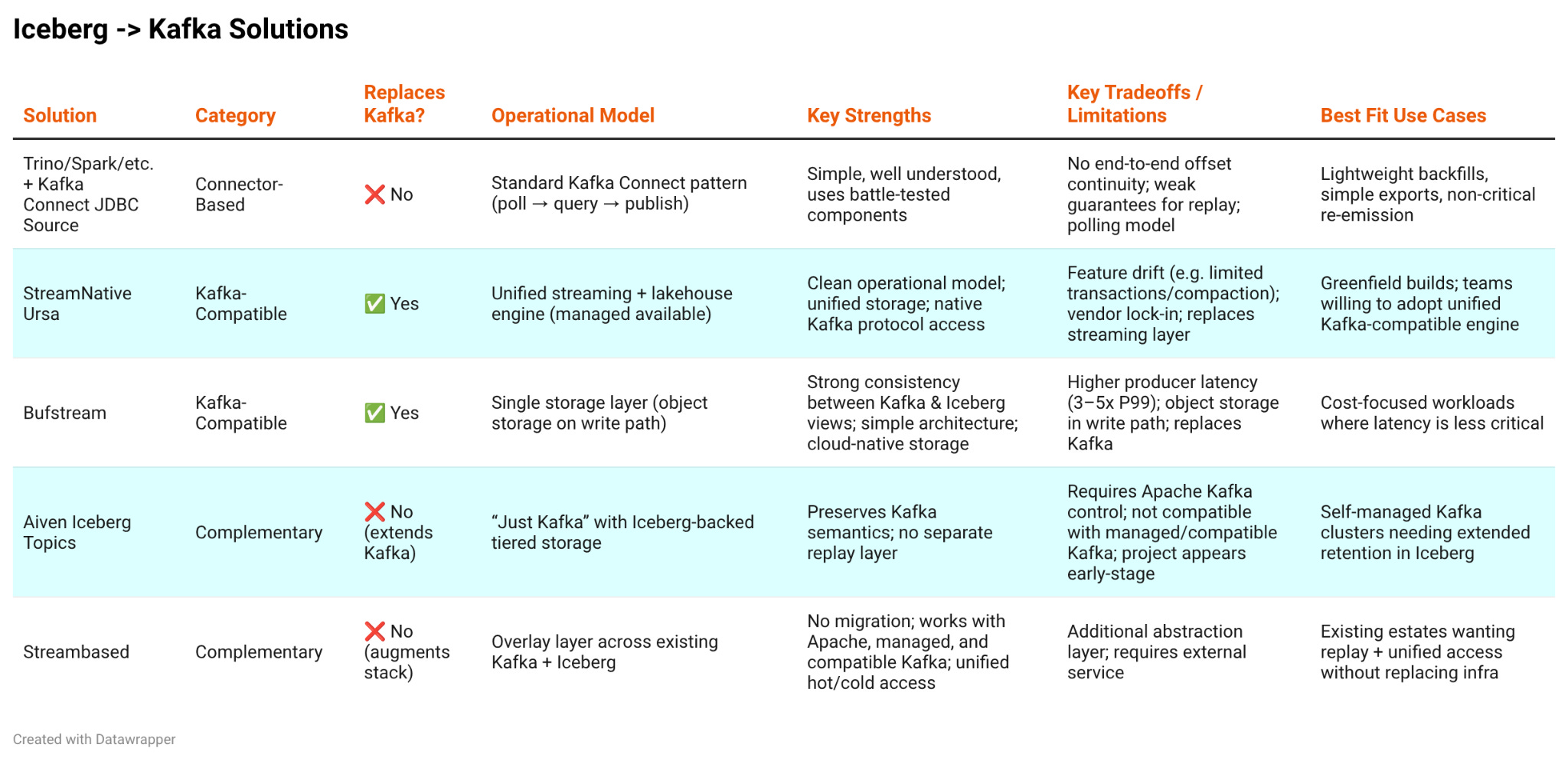
The tradeoff is that there’s no end-to-end linkage between the Kafka events that originally landed in Iceberg and the records you’re now emitting back into Kafka. That lack of continuity makes it a poor fit for “Iceberg as Kafka retention” use cases like backfill and cost-saving replay, where you need stronger guarantees about exactly what range of data is being re-emitted.
Section 2: Kafka Compatible
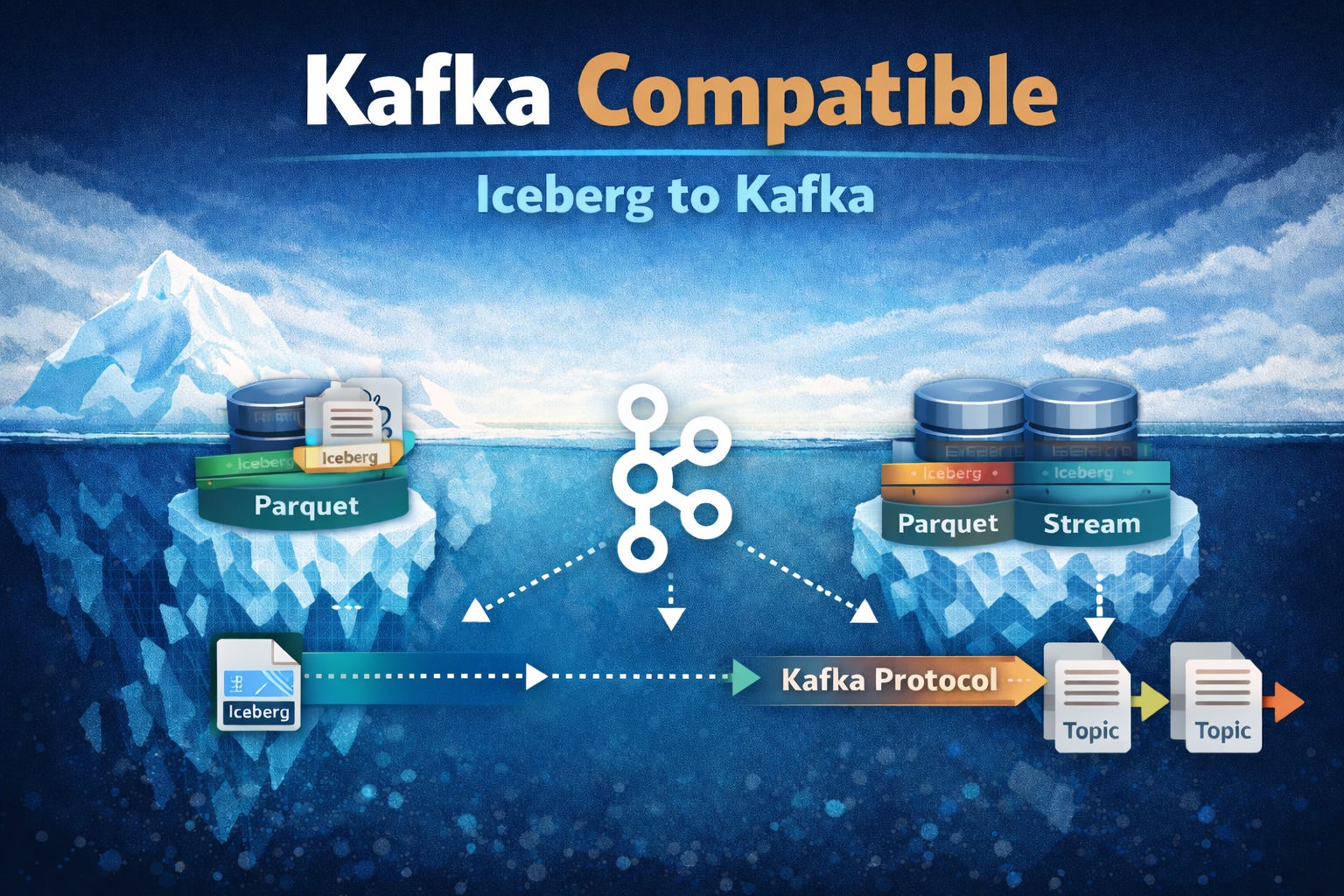
Kafka compatible services preserve the Kafka client experience (protocol, offsets, consumer groups) but use different engines to provide the underlying storage and metadata semantics. In the world of Iceberg this usually means the storage layer is significantly different to the custom log format and disk based approach used by Apache Kafka.
StreamNative Ursa
Ursa enables Kafka clients to work directly with Apache Iceberg data by replacing the traditional Kafka broker model with a compatible streaming engine that writes all streamed events as part of a unified lakehouse dataset that is eventually stored in open table formats like Iceberg. Ursa’s engine first ingests data into a streaming focused layer before persisting it to a durable Iceberg layer.
Ursa adds a Kafka-compatible read path that maps Kafka’s offset-based consumption model onto Iceberg’s file-based table layout. When a Kafka consumer issues fetch requests, Ursa resolves the requested offset range into the relevant Iceberg snapshot and then plans reads over the underlying Iceberg files, returning records through the standard Kafka protocol as if they came from a normal Kafka log.
This approach has a much cleaner operational model than the connector approach (StreamNative takes care of stitching real-time and analytical datasets together) and lends itself to a more cloud native deployment (StreamNative offers Ursa in their cloud product suite).
Ursa combines streaming log storage and Iceberg, translating Kafka offset-based fetches into planned reads over Iceberg table snapshots/files, before returning results through the Kafka protocol as if Iceberg were a regular collection of topics.
Unfortunately Ursa brings with it all the usual issues with compatible systems, at the end of the day your underlying data layer is not really Kafka and so is subject to feature drift and unexpected differences in behaviour (for instance Transactions and topic compaction are not fully supported yet). Additionally there are vendor lock in concerns, the Iceberg -> Kafka path may not be relevant for all workloads and yet, with Ursa, the entire streaming stack is locked in.
Bufstream
Bufstream’s Kafka compatible engine writes Kafka topic data directly into Parquet files and Iceberg metadata, skipping the intermediate streaming layer from StreamNative’s approach. It then uses those same Parquet files to serve Kafka consumers or Iceberg clients.
The advantage of this approach is its simplicity. With only a single storage layer it is easy to ensure consistency of the two views and use cloud native storage options for cost reduction. Unfortunately this comes with a cost in write latency, object storage is on the write path and adds producer latency. Bufstream typically experiences 3-5x higher end to end latency (P99) than traditional Kafka.
Bufstream takes a simple “single storage layer” approach by writing Kafka topic data directly into Iceberg and serving both Kafka consumers and Iceberg readers from the same files. Having one single storage layer means that the Iceberg to Kafka flow is a core requirement of the service. In Bufstream both Kafka readers and writers interact with Iceberg data translating formats on the fly as required.
Section 3: Complimentary
This category covers systems that augment an existing Kafka + Iceberg estate rather than replacing either layer. These solutions typically sit alongside Kafka brokers and Iceberg tables as add-ons. The main benefit is they don’t require any migration and do not lock in a user’s whole streaming stack.
Aiven Iceberg Topics
Aiven’s Iceberg Topics concept sits on top of an existing Apache Kafka deployments and leverages a custom Tiered Storage Manager (RSM) plugin to read/write data to Iceberg. As Kafka log segments roll, their data is transferred to Iceberg and tracked inside the Kafka cluster. On fetch the broker can reconstruct valid Kafka batches from those same files, effectively allowing Kafka consumers to replay data that lives in Iceberg storage without a separate layer or copying process.
The semantics of all Kafka client operations are preserved because the core idea is “just Kafka” but you gain an analytical view on the data that can be consumed by Iceberg engines. This approach elegantly leverages existing Kafka tiered storage functionality but, because of this, requires back end control of the cluster and for the cluster to be running the Apache Kafka flavour. For this reason Iceberg topics cannot be used with managed Kafka deployments or “Kafka compatible” systems. On top of this the github project that backs this feature appears stale and very much for testing only.
Streambased
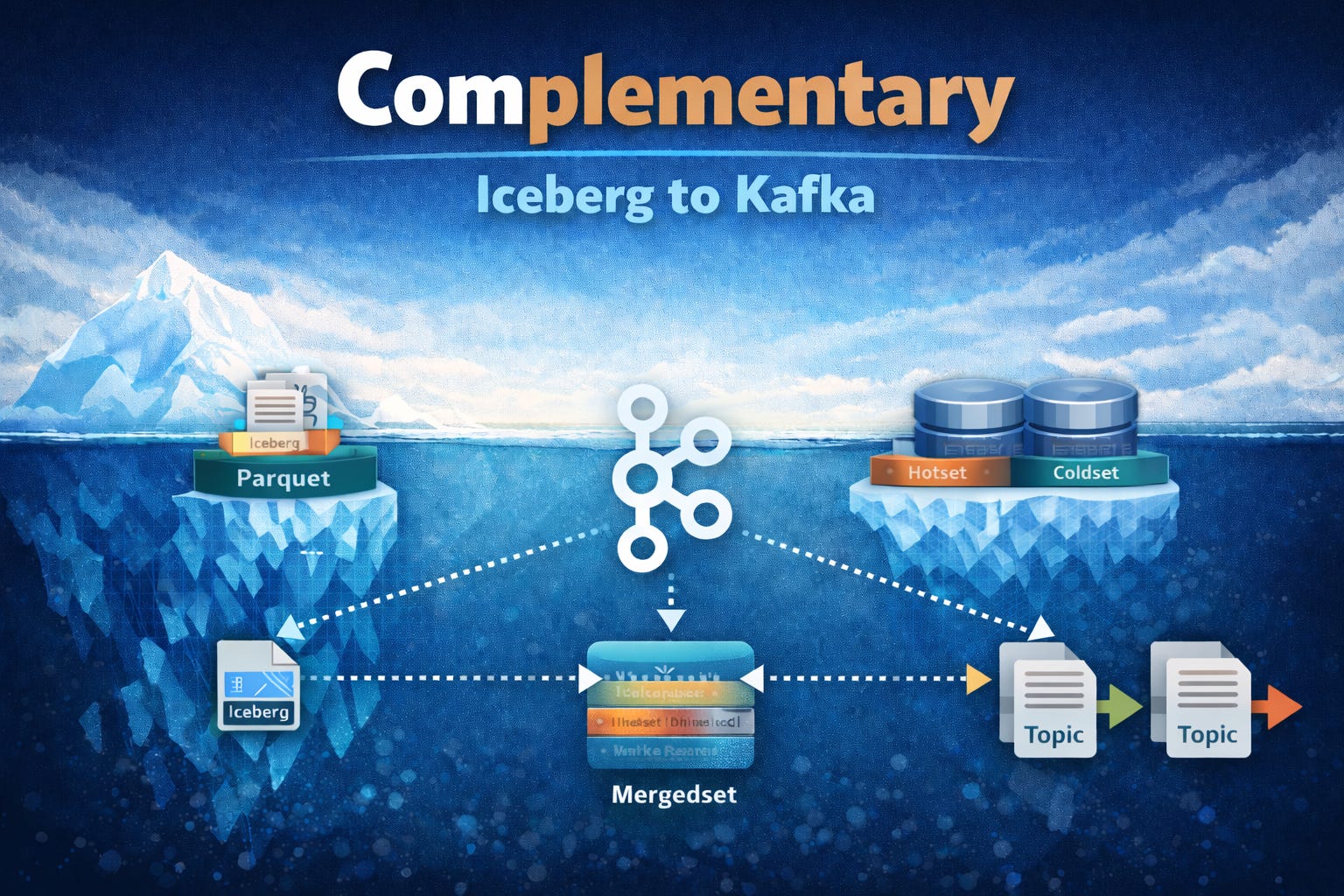
Streambased functions as an abstraction layer above pre-existing Kafka and Iceberg deployments. Streambased composes a dataset made up of real-time focused data from Kafka and analytically prepared data from Iceberg and serves this to either Kafka clients or Iceberg clients in the format they are expecting.
Streambased exposes 3 datasets in this way:
The hotset - data that resides in Kafka alone
The coldset - data that resides in Iceberg alone
The mergedset - a seamless joining of the hotset and coldset
By exposing these 3 datasets as Iceberg, users can easily move data between hotset and coldset, structuring the mergedset in a way that is optimal for the workloads it must enable.
Under the hood, Streambased serves Kafka data in a similar manner to StreamNative’s Ursa above. Streambased intercepts fetch requests, computes the location of the relevant data (in Kafka, Iceberg or a combination of the two) and serves it back via the Kafka protocols. Where Streambased differs is that it is agnostic to the underlying data systems. Ursa requires that data be written to it before it is accessible whereas Streambased plugs into any system that implements the Kafka protocol (Apache Kafka, managed providers and compatible systems).
This makes Streambased a complementary layer that upgrades an existing Kafka + Iceberg estate with unified access and consistent semantics, rather than replacing core infrastructure.
Conclusion
Iceberg is rapidly becoming the durable system of record for streaming data. However, the moment you treat it that way, you also need a clean path back into Kafka. With this established, applications can replay history, recover safely, and keep real-time systems lean.
The Iceberg → Kafka pattern you will choose depends on the existing environment and workload constraints. Connectors offer a pragmatic starting point, Kafka-compatible engines rethink the storage model entirely, and complementary approaches unlock replay and unified access without replacing your existing stack. The right choice depends on what you’re optimizing for but the direction is clear: the lakehouse isn’t just the destination anymore, it’s becoming part of the streaming runtime.
Subscribe to follow how Iceberg and Kafka are converging and what that means for your architecture.